
Preset Automation is a pilot feature that allows you to automatically apply item presets and shipment presets to imported shipments. This can help streamline your workflow by automatically updating shipment details based on conditions you define.
This feature is especially useful if you regularly need to adjust shipment weights, dimensions, or other shipment details during the import process from a connected online store.
We welcome your feedback as we continue to improve the experience. If you have concerns or suggestions, please submit them using our feedback form.
Before You Begin
Before creating a Preset Automation rule, you must first create either an Item Preset or a Shipment Preset.
For instructions on creating presets and the difference between Item and Shipment presets, please refer to our article here.
Creating a Preset Automation Rule
Start by navigating to your Shipping Settings and selecting Automation Rules.
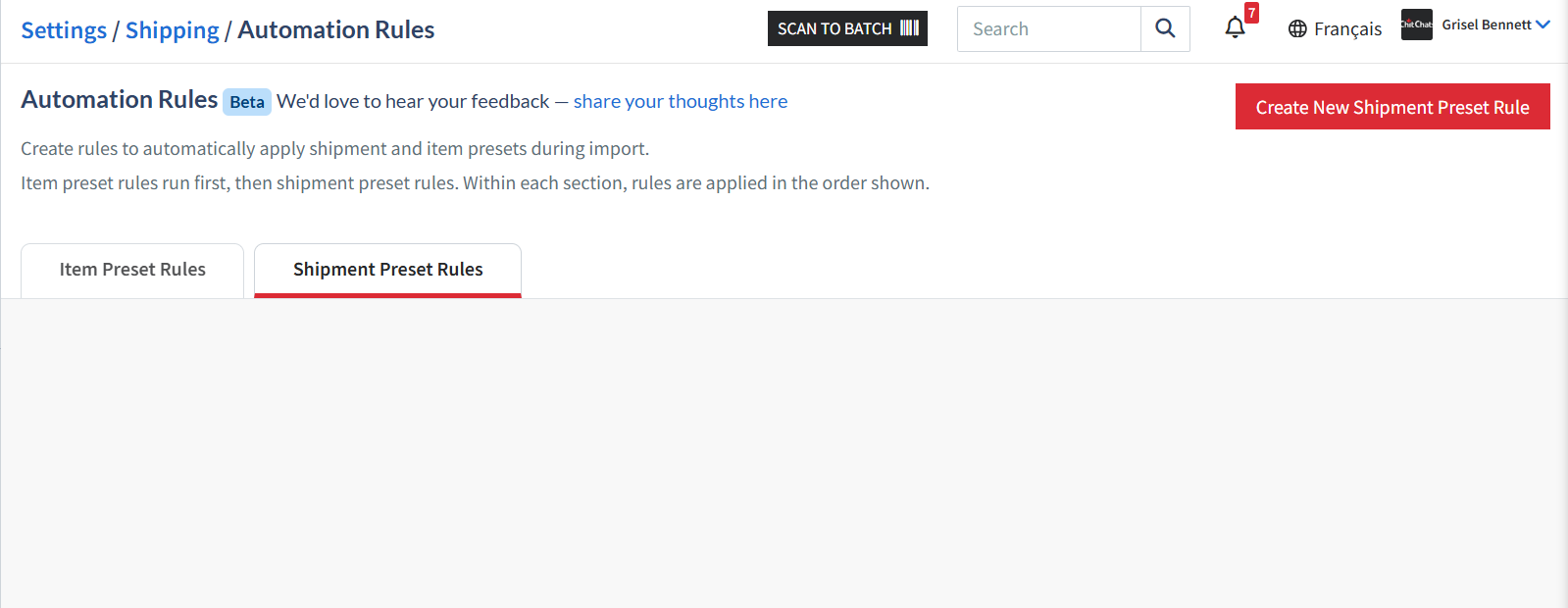
Choose either Item Preset Automation or Shipment Preset Automation using the tabs at the top of the page.

Click Create New Item Preset Rule or Create New Shipment Preset Rule.
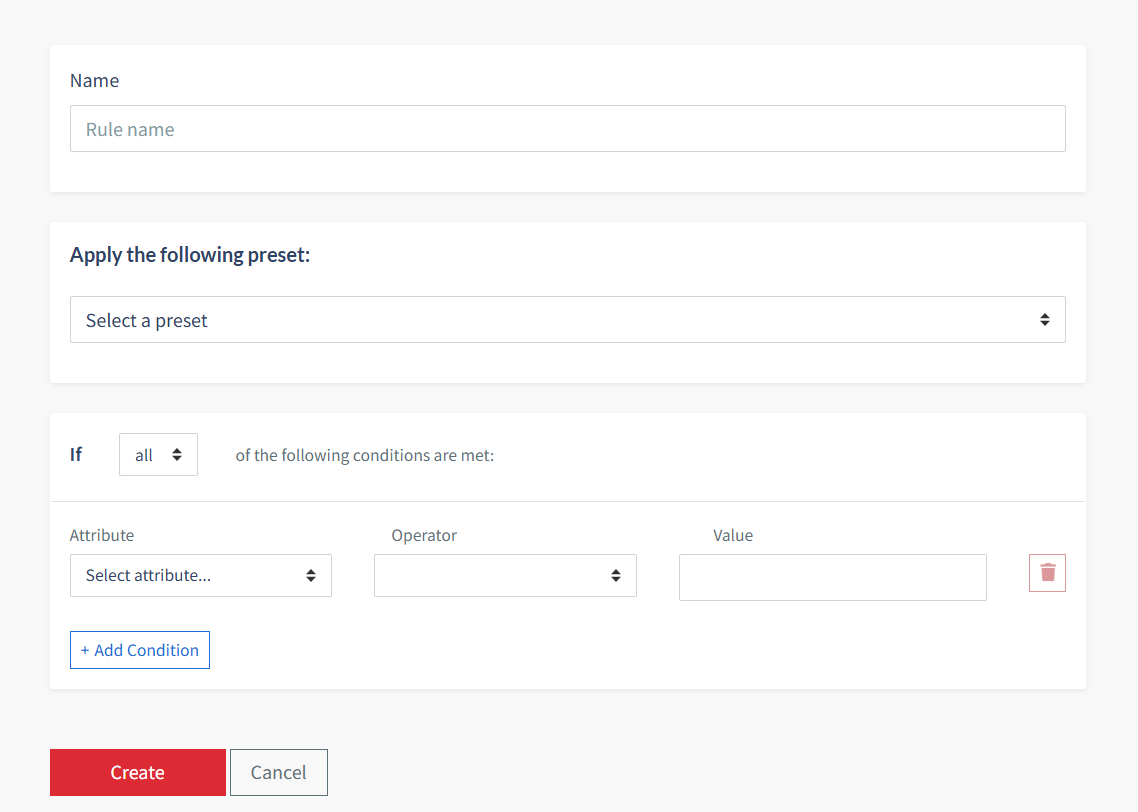
Once done, you will be required to fill out the following information for the automation rule:
A name for the automation rule
The preset you would like to apply (if you have multiple)
The conditions that must be met for the preset to be applied automatically
Save your rule.
*Please note that the maximum number of rules at this time is 100.
How It Works
Once your automation rule has been created, the selected preset will automatically be applied to future imports whenever the specified conditions you have selected are met.
This allows you to standardize shipment information and reduce the need for manual updates after importing shipments.