
As the United States is an international destination, the returns process is more complex due to border regulations. Nevertheless, you have several options when it comes to U.S. returns:
Have Chit Chats manage your returns
If you choose the first two options, you won’t need to worry about CBSA compliance with Chit Chats. However, if you opt to use your own U.S. address, you will need to arrange for the returns to be sent back to Canada on your own.
If you choose the U.S. disposal service, all your U.S. returns will be automatically disposed of at no cost. These options do not incur return fees with Chit Chats.
Otherwise if Chit Chats receives a U.S. return the return fee will automatically be charged to your account.
Steps to have Chit Chats manage your U.S. returns
To have Chit Chats manage your U.S. returns and bring them back into Canada, you must be compliant with Canada Border Services Agency (CBSA) requirements. This compliance is necessary for us to process your returns and transport them back into Canada on your behalf.
Before we can move your returned shipments across the border, you’ll need to complete the following steps:
- Select your return method from the top drop-down menu and select Chit Chats’ U.S. Return Address from the address options under Default U.S. return address.
Ensure that you have a federal business number
Register your Federal business number and create an account on the CARM (CBSA Assessment and Revenue Management) portal
Once created, head to your returns settings to confirm your CARM registration by entering:
The Import Program number
The business number that you used to enroll.
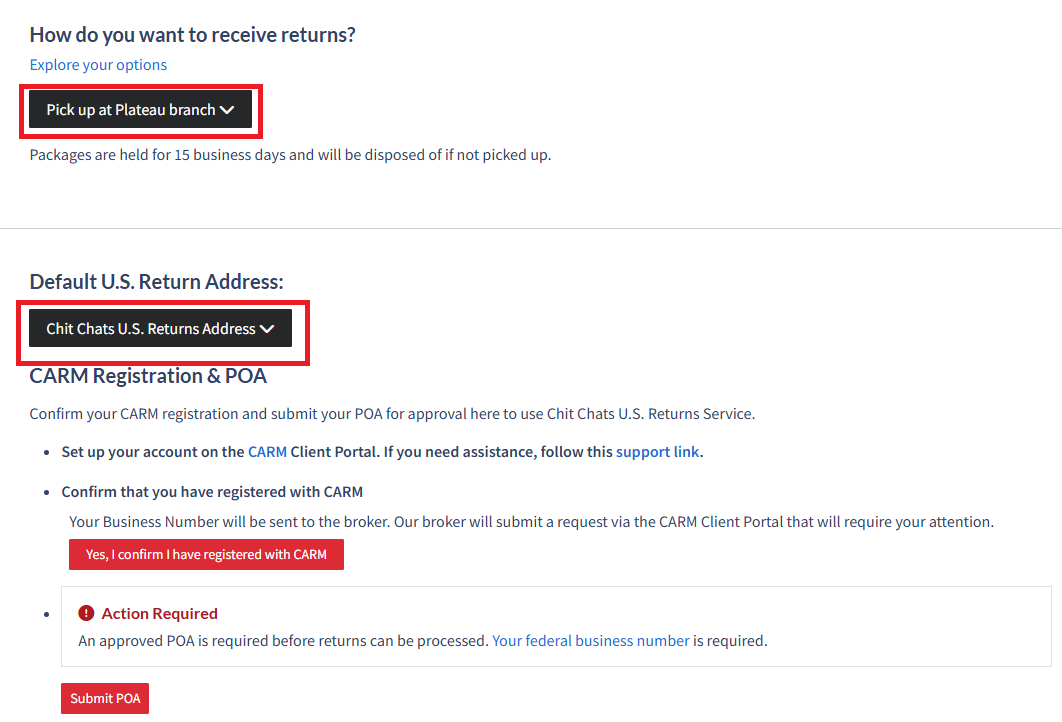
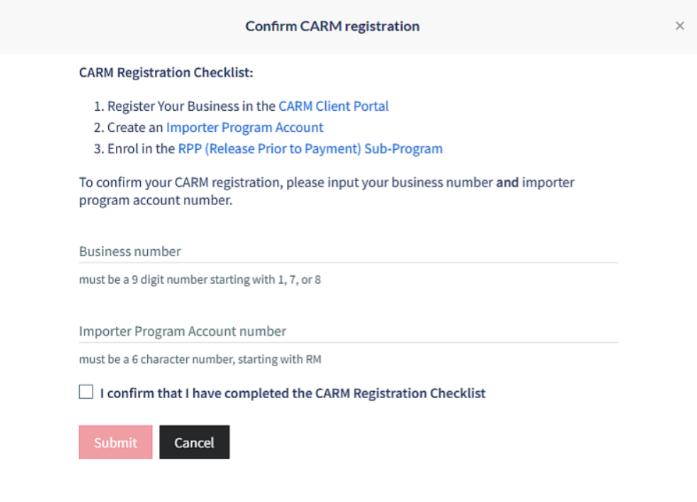
After confirming your CARM registration, you must immediately begin the POA (Power of Attorney) process. This authorizes our customs broker to manage your returns account on your behalf.
The POA can be signed directly through your Chit Chats account. Approval may take up to 30 business days. Any returns received at our U.S. warehouse while approval is pending will be held until confirmation is received from our broker.
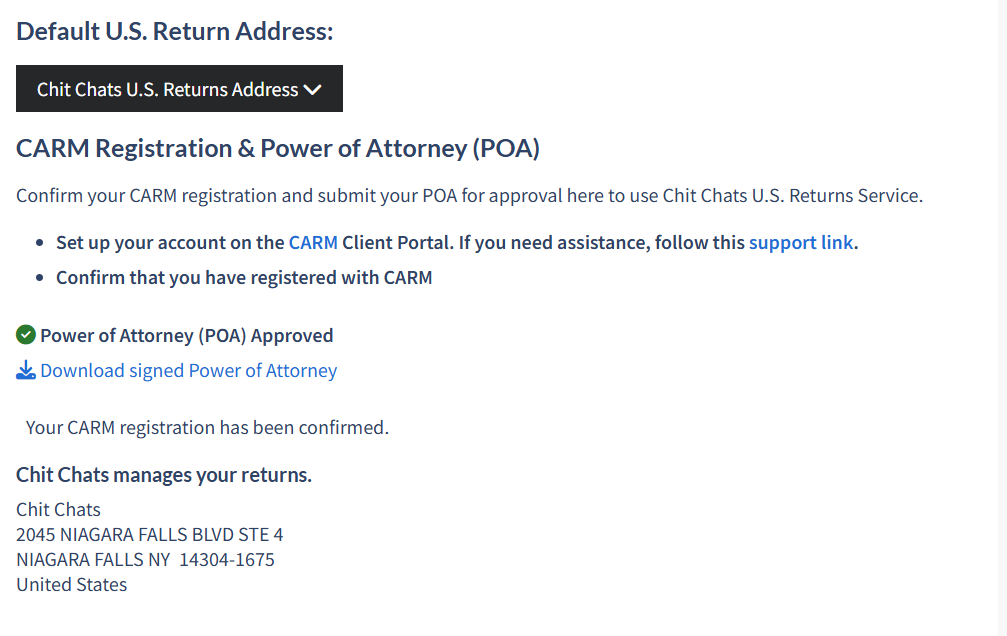
Once received by our broker, you’ll receive a notification in your CARM portal prompting you to delegate authority to our customs broker. This step is required for your returns to be processed.
Need more information about CARM and POAs?
Requesting Chit Chats Return Service for Select Shipments
If you wish to have Chit Chats manage only some of your returns and dispose of the others, you can do so by:
Ensuring your default U.S. Return address is set to either Chit Chats U.S. Return Service or Chit Chats U.S. Disposal Service.
Selecting “Chit Chats U.S. Returns Service” from the drop down menu while on the Postage step of creating a shipment. Doing so will allow you the flexibility of adjusting the return method for each individual shipment.
